Sngine Addon
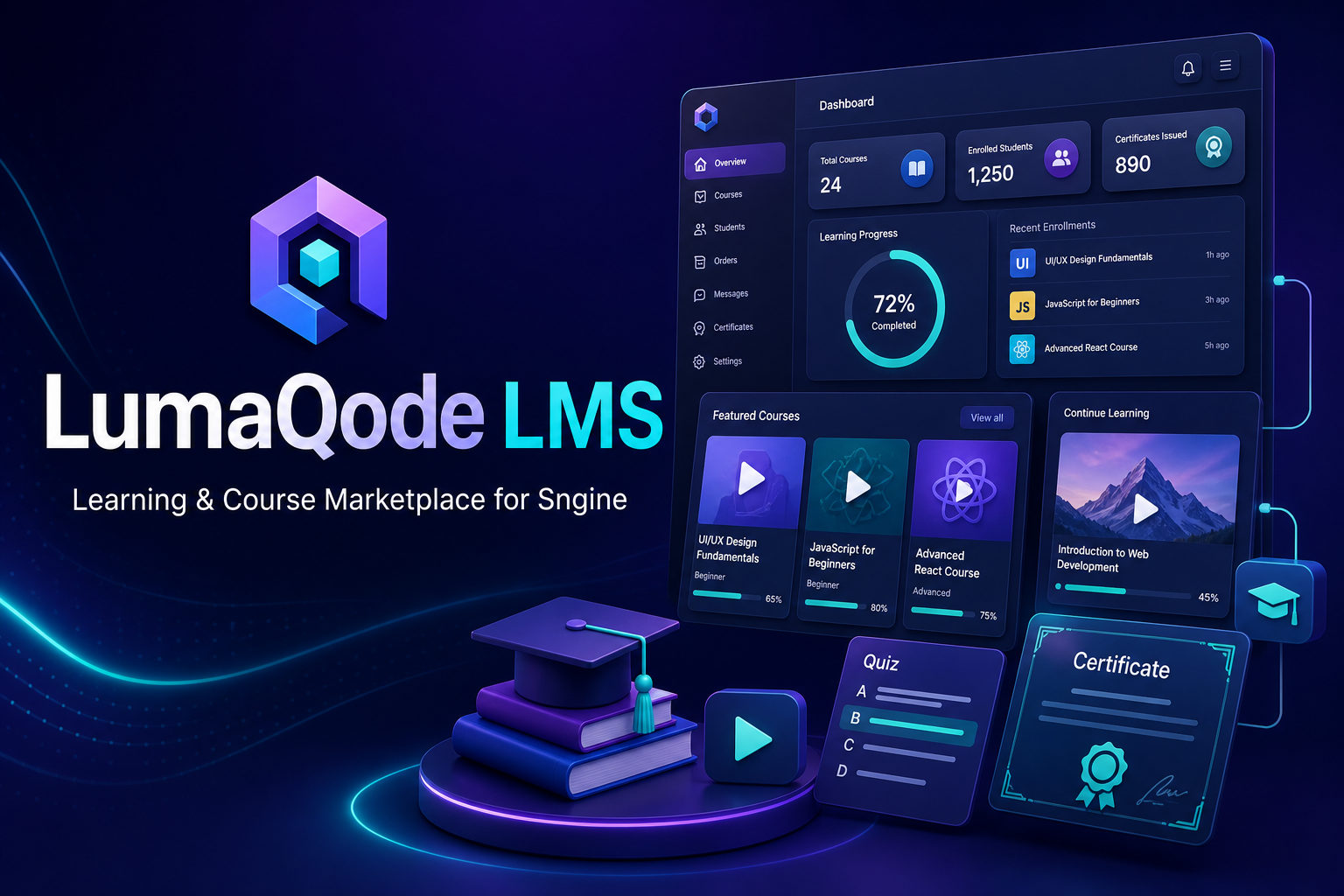
LumaQode LMS - Sngine
Learning & Course Marketplace
One-time purchase
$40.00
USD
Full source code
Secure digital delivery
Product updates
Current version1.0.0
CompatibilitySee product details
DeliveryInstant after payment
SupportCoverage by support policy
Inside the product
Product details and included features.
Learning & Course Marketplace
LumaQode LMS – Sngine
- Add a complete Learning Management System (LMS) to the mobile application with fully native Flutter interfaces powered by API integration, without using WebView.
- Provide an LMS API with 97 operations covering student features, instructor features, and platform integration.
- Automatically display the LMS section in the application menu when the LMS add-on is installed and enabled.
- Integrate seamlessly with the existing Sngine user account and authentication session.
- Synchronize the LMS language with the platform language and use
api-addonsas the source for mobile application translations, including full Arabic and RTL support. - Browse, search, sort, and filter courses by category, level, language, price, rating, and study type.
- View complete course details, curriculum, requirements, learning objectives, instructor information, and ratings.
- Enroll in free courses and purchase paid courses using the platform wallet, with support for discount coupons.
- View text-based lessons and play video and audio content directly inside the application, download PDF files and attachments, and open external resources and session links.
- Track course progress, complete lessons, and continue learning, with support for prerequisites, gradual lesson unlocking, and scheduled content availability.
- Provide a personal learning library containing enrolled courses, wishlist items, notes, bookmarks, and certificates.
- Add private notes and timestamp-based bookmarks within lessons, with support for editing and deleting them.
- Take quizzes, save answers, submit attempts, and view results.
- Submit assignments using text or file uploads and track grades and instructor feedback.
- View course completion certificates, verify certificate validity, and share certificate verification links.
- Add course ratings, participate in discussions, follow announcements, and report inappropriate content.
- Manage notification preferences for learning activities, discussions, announcements, and purchases through platform notifications, push notifications, and email according to user settings.
- Submit applications to become an instructor and manage instructor profiles and professional experience.
- Provide an Instructor Studio for creating and editing courses, submitting them for review, managing curriculum sections and lessons, reordering content, and duplicating lessons.
- Save course versions, view version history, and restore a previous version as a new draft.
- Manage media files, attachments, and subtitle files, with support for archiving, restoring, and retrying failed media processing.
- Create question banks and quizzes and manage the questions associated with them.
- Create assignments and grading rubrics, grade assignment submissions and quiz attempts, add instructor feedback, and return assignments to students for revision.
- Manage student cohorts and schedules, assign enrolled students to cohorts, and record attendance.
- Publish course announcements and manage and moderate course discussions.
- View instructor analytics covering course performance, enrollments, student progress, completion rates, and revenue.
- View balances and earnings and submit withdrawal requests.
- Connect courses with Sngine Groups, including management of catalog visibility, enrollment policies, group roles, and revenue distribution.
- Protect access to lessons, media, and attachments according to user permissions and course enrollment status.
- Use
lmsas the official add-on folder name, route path, and package identifier for new builds. - Provide a separate web-based administration panel while making all student and instructor functionality available directly inside the mobile application.
Release history
Changes, fixes, and new features.
Review the release history through the current 1.0.0 version.
Version 1.0.0
September 06, 2026
LumaQode LMS – Sngine
-
Add a complete Learning Management System (LMS) to the mobile application with fully native Flutter interfaces powered by API integration, without using WebView.
-
Provide an LMS API with 97 operations covering student features, instructor features, and platform integration.
-
Automatically display the LMS section in the application menu when the LMS add-on is installed and enabled.
-
Integrate seamlessly with the existing Sngine user account and authentication session.
-
Synchronize the LMS language with the platform language and use
api-addonsas the source for mobile application translations, including full Arabic and RTL support. -
Browse, search, sort, and filter courses by category, level, language, price, rating, and study type.
-
View complete course details, curriculum, requirements, learning objectives, instructor information, and ratings.
-
Enroll in free courses and purchase paid courses using the platform wallet, with support for discount coupons.
-
View text-based lessons and play video and audio content directly inside the application, download PDF files and attachments, and open external resources and session links.
-
Track course progress, complete lessons, and continue learning, with support for prerequisites, gradual lesson unlocking, and scheduled content availability.
-
Provide a personal learning library containing enrolled courses, wishlist items, notes, bookmarks, and certificates.
-
Add private notes and timestamp-based bookmarks within lessons, with support for editing and deleting them.
-
Take quizzes, save answers, submit attempts, and view results.
-
Submit assignments using text or file uploads and track grades and instructor feedback.
-
View course completion certificates, verify certificate validity, and share certificate verification links.
-
Add course ratings, participate in discussions, follow announcements, and report inappropriate content.
-
Manage notification preferences for learning activities, discussions, announcements, and purchases through platform notifications, push notifications, and email according to user settings.
-
Submit applications to become an instructor and manage instructor profiles and professional experience.
-
Provide an Instructor Studio for creating and editing courses, submitting them for review, managing curriculum sections and lessons, reordering content, and duplicating lessons.
-
Save course versions, view version history, and restore a previous version as a new draft.
-
Manage media files, attachments, and subtitle files, with support for archiving, restoring, and retrying failed media processing.
-
Create question banks and quizzes and manage the questions associated with them.
-
Create assignments and grading rubrics, grade assignment submissions and quiz attempts, add instructor feedback, and return assignments to students for revision.
-
Manage student cohorts and schedules, assign enrolled students to cohorts, and record attendance.
-
Publish course announcements and manage and moderate course discussions.
-
View instructor analytics covering course performance, enrollments, student progress, completion rates, and revenue.
-
View balances and earnings and submit withdrawal requests.
-
Connect courses with Sngine Groups, including management of catalog visibility, enrollment policies, group roles, and revenue distribution.
-
Protect access to lessons, media, and attachments according to user permissions and course enrollment status.
-
Use
lmsas the official add-on folder name, route path, and package identifier for new builds. -
Provide a separate web-based administration panel while making all student and instructor functionality available directly inside the mobile application.
Public discussion
Questions about this product.
Ask about requirements, compatibility, or included functionality before purchasing.
Log in to ask a question or continue an existing discussion.
Login to continueNo questions yet.
Start the discussion with a question about this product.
Customer feedback
Reviews from product customers.
Ratings and comments submitted by customers, including verified purchases.
0.0
No reviews
No customer reviews yet.
Verified customers can publish a review after purchase.
More from LumaQode
Related software products.

Product price$40.00
Login to purchase